
MIKROE-2913

Mikroe
932-MIKROE-2913
MIKROE-2913

Nsx:

Mô tả:
Optical Sensor Development Tools Barcode click

Sẵn có

Tồn kho:
Không Lưu kho
Thời gian sản xuất của nhà máy:
16 Tuần Thời gian sản xuất tại nhà máy dự kiến.
Tối thiểu: 1   Nhiều: 1
Đơn giá:
$-.--
Thành tiền:
$-.--
Dự kiến Thuế quan:

Giá (USD)

Số lượng Đơn giá
Thành tiền
$199.00 $199.00

Đặc tính Sản phẩm Thuộc tính giá trị Chọn thuộc tính
Mikroe
Danh mục Sản phẩm: Công cụ phát triển Cảm biến quang
RoHS:  
Add-On Boards
Image Sensor
LV3296
3.3 V
Nhãn hiệu: Mikroe
Kích thước: 57.15 mm x 25.4 mm
Loại giao diện: GPIO, UART
Loại sản phẩm: Optical Sensor Development Tools
Số lượng Kiện Gốc: 1
Danh mục phụ: Development Tools
Thương hiệu: mikroBUS
Đã tìm thấy các sản phẩm:
Để hiển thị sản phẩm tương tự, hãy chọn ít nhất một ô
Chọn ít nhất một hộp kiểm ở trên để hiển thị các sản phẩm tương tự trong danh mục này.
Các thuộc tính đã chọn: 0

CNHTS:
8543909000
CAHTS:
8473302000
USHTS:
8473301180
MXHTS:
8473300401
ECCN:
EAR99

Sensor Click Boards

Mikroe Sensor Click Boards enable the addition of various sensors to applications and designs. Click boards™ are based around the mikroBUS™ interface standard and easily add incredible capabilities to systems. Mikroe Sensor Click Boards are ideal for any application that requires custom sensor capability. 

Click Boards™

MikroElektronika MikroBUS™ Adapter click boards™ are designed to revolutionize the way users add new functionality to development boards. The user can push a click board into the innovative new MikroBUS™ standard socket and use it with zero hardware configuration. Categories of MikroElektronika mikroBUS™ Adapter click boards include Wireless Communication Modules, Wired Communication Modules, Sensor Modules, and Miscellaneous Modules & Accessories.

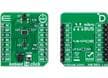
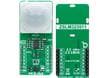
MIKROE-2913 Barcode click

Mikroe MIKROE-2913 Barcode Click is fast, agile, and compliant with a wide range of 1D and 2D barcode protocols. Mikroe MIKROE-2913 is equipped with a micro USB port and can work as a standalone device or a standard Click Board. The Click communicates with the MCU via the RX, TX, RST, and PWM pin of the mikroBUS™. Two red LEDs are used to illuminate the area in low light conditions and it features two push buttons for control when working as a standalone device.